

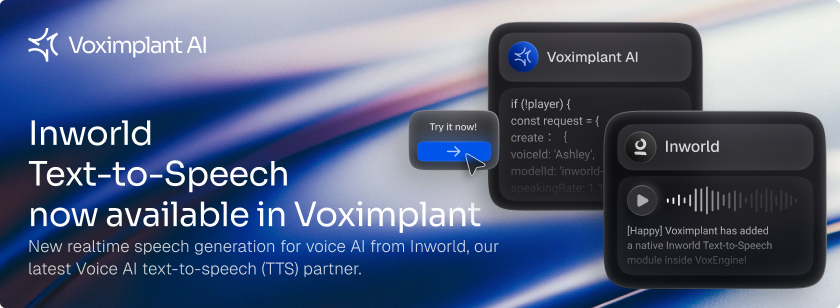
Voximplant has new realtime speech generation for voice AI from Inworld, our latest Voice AI text-to-speech (TTS) partner. Together, we combine state-of-the-art TTS with carrier-grade connectivity so you can build voice agents that sound like your brand, not a generic robot. Inworld’s TTS models deliver ultra-realistic, context-aware speech synthesis and precise, zero-shot voice cloning at an accessible price point.
Voximplant has added a native module inside VoxEngine, our serverless runtime environment, for streaming Inworld’s expressive TTS for low-latency applications with Voice AI. Inworld speech generation is easily controlled with the VoxEngine API to synthesize speech in real time, connect it to any call (PSTN, SIP, WebRTC, WhatsApp), and control playback from a Large Language Model (LLM) or other source.
Inworld is widely recognized for powering highly expressive voice AI including for brands, characters, and game NPCs, where emotional nuance, timing, and non-verbal cues matter as much as the words themselves. Their TTS stack is designed for ultra-realistic, context-aware speech and precise voice cloning, with performance that competes with other leading commercial engines.
Highlights
- Cost-effective, realtime TTS
Inworld’s flagship models are priced closer to traditional, non-streaming TTS, while still delivering state-of-the-art realtime quality. This often works out to roughly 4–10× savings versus many streaming TTS alternatives at similar quality levels. - Zero-shot voice cloning from a short sample
Create a custom voice from just 5–15 seconds of audio using Inworld’s instant (zero-shot) cloning. Your cloned voice can then be reused across calls, campaigns, and channels via the API. - Expressive CX with audio markups
Use inline audio markups such as [happy], [sad], [whisper] or non-verbals like [cough], [sigh], [breathe], and [clear_throat] to control emotion, emphasis, and natural filler sounds in your scripts. Note this feature is currently experimental and only supported in English - monitor Inworld’s announcements for updates - Multilingual by design
Inworld TTS currently supports 13 languages — English, Spanish, French, German, Italian, Portuguese, Chinese, Japanese, Korean, Dutch, Polish, Russian, and Hindi — with ongoing improvements and additional languages planned. - Fine-grained voice control (temperature & speed)
Tune temperature to make speech more deterministic or more expressive, and adjust speakingRate to match your brand’s pacing (1.0 is the natural speed for a given voice).
Developer notes
- Native VoxEngine module for Inworld – once you load load the module -
require(Modules.Inworld); you can use theInworld.createRealtimeTTSPlayerto create player to control playback, - Streaming synthesis – for the lowest latency, stream partial incoming LLM to an established player with a simple
sendTextobject - (Optional) Bring your own API key - use your own API key to access cloned voices and bill against an existing Inworld account, just add your API key to the request parameters const
inworldRealtimeTTSPlayerParameters = { apiKey: "INWORLD_API_KEY",createContextParameters: request} - Direct access to Inworld controls – pass parameters like
voiceId,modelId,sampleRate,temperature,speakingRate, and word or character-level timestamp options (timestampType) straight through to Inworld’s API as part of the request object - Multiple players - you can run multiple concurrent players, such as for using multiple-voices, by instantiating multiple TTS player instances with different parameters
- Barge-in – cancel or replace the current TTS segment when the caller interrupts, while keeping prosody natural on the next response
Demo video
Quick start: Gemini→Inworld VoxEngine Scenario
require(Modules.Gemini);
require(Modules.Inworld);
require(Modules.ApplicationStorage);

const SYSTEM_INSTRUCTIONS = `You are Voxi, a helpful English-speaking voice assistant for phone callers.
You are speaking on behalf of Voximplant and Inworld about Voximplant's Inworld text-to-speech (TTS) integration.
Guidelines:
- On the first interaction, greet the user with exactly:
   '[happy] Hi. I'm Voxi, connected via Voximplant and speaking with **Inworld**. How can I help?'
- At the VERY BEGINNING of each turn you may include ZERO OR ONE of these tags, followed by a space:
 [happy], [sad], [angry], [surprised], [fearful], [disgusted], [laughing], [whispering]
- You may insert the following tags anywhere inside the text where they sound natural:
 [breathe], [clear_throat], [cough], [laugh], [sigh], [yawn]
`;


VoxEngine.addEventListener(AppEvents.CallAlerting, async({ call }) =& gt; {
    let geminiLiveAPIClient = undefined;
    let player = undefined;


    call.answer();
    call.record({ hd_audio: true, stereo: true });


    const callBaseHandler = () =& gt; {
        if (geminiLiveAPIClient) geminiLiveAPIClient.close();
        VoxEngine.terminate();
    };
    call.addEventListener(CallEvents.Disconnected, callBaseHandler);
    call.addEventListener(CallEvents.Failed, callBaseHandler);


    try {
        const GEMINI_API_KEY = (await ApplicationStorage.get("GEMINI_API_KEY")).value;
        const GEMINI_MODEL = 'gemini-live-2.5-flash-preview'; // supports half-cascade pipeline


        const onWebSocketClose = (event) =& gt; {
            Logger.write('===ON_WEB_SOCKET_CLOSE===');
            Logger.write(JSON.stringify(event));
            VoxEngine.terminate();
        };


        const GEMINI_CONNECT_CONFIG = {
            responseModalities: ['TEXT'],
            systemInstruction: {
                parts: [{ text: SYSTEM_INSTRUCTIONS }]
            }
        };


        const geminiLiveAPIClientParameters = {
            apiKey: GEMINI_API_KEY,
            model: GEMINI_MODEL,
            connectConfig: GEMINI_CONNECT_CONFIG,
            backend: Gemini.Backend.GEMINI_API,
            onWebSocketClose,
        };


        geminiLiveAPIClient = await Gemini.createLiveAPIClient(geminiLiveAPIClientParameters);


        geminiLiveAPIClient.addEventListener(Gemini.LiveAPIEvents.Unknown, (event) =& gt; {
            Logger.write('===Gemini.LiveAPIEvents.Unknown===');
            Logger.write(JSON.stringify(event));
        });


        geminiLiveAPIClient.addEventListener(Gemini.LiveAPIEvents.SetupComplete, (event) =& gt; {
            Logger.write('===Gemini.LiveAPIEvents.SetupComplete===');
            Logger.write(JSON.stringify(event));


            // Trigger the agent to start the conversation (agent greets per SYSTEM_INSTRUCTIONS)
            const msg = {
                turns: [{
                    role: 'user',
                    parts: [{ text: 'Hi!' }]
                }],
                turnComplete: true
            };
            geminiLiveAPIClient.sendClientContent(msg);


            // Send the caller's audio to Gemini
            call.sendMediaTo(geminiLiveAPIClient);


        });


        geminiLiveAPIClient.addEventListener(Gemini.LiveAPIEvents.ServerContent, (event) =& gt; {
            Logger.write('===Gemini.LiveAPIEvents.ServerContent===');

            const payload = (event & amp;& amp; event.data & amp;& amp; event.data.payload) ?event.data.payload : { };
            Logger.write(`payload: ${JSON.stringify(payload)}`);


            // 1) Extract any model text from this event
            let textChunk = '';


            if (payload.modelTurn & amp;& amp; Array.isArray(payload.modelTurn.parts)) {
                // Join all text parts (in case Gemini sends multiple)
                textChunk = payload.modelTurn.parts
                    .map(p =& gt; (p & amp;& amp; typeof p.text === 'string') ?p.text : '')
                   .join(' ')
                    .trim();
            }


            if (textChunk) {
                // Lazily create the Inworld player on first text
                if (!player) {
                    const request = {
                        create: {
                            voiceId: 'Ashley',              // enter the voice name or ID
                            modelId: 'inworld-tts-1-max',   // inworld-tts-1 or max
                            speakingRate: 1.1,
                            temperature: 1.3,
                        }
                    };
                    const inworldRealtimeTTSPlayerParameters = {
                        // apiKey: 'YOUR_INWORLD_API_KEY_HERE', // use this for cloned voices
                        createContextParameters: request,
                    };
                    player = Inworld.createRealtimeTTSPlayer(inworldRealtimeTTSPlayerParameters);
                    player.sendMediaTo(call);
                    Logger.write('=== Inworld player created ===');
                }


                // Stream this chunk into Inworld
                player.send({
                    send_text: { text: textChunk },
                });
            }


            // 2) Turn completion → flush any buffered text
            if (payload.turnComplete & amp;& amp; player) {
                player.send({
                    flush_context: {},
                });
            }


            // 3) Barge-in handling if you're using interrupted flag
            if (payload.interrupted & amp;& amp; player) {
                Logger.write('=== BARGE IN ===');
                player.clearBuffer();
                geminiLiveAPIClient.clearMediaBuffer();
            }


            // The interrupted event isn't supported by every Gemini model -
            //  treat the user transcript as a barge-in as a backup
            if (event.data.payload.inputTranscription !== undefined) {
                player.clearBuffer();
                geminiLiveAPIClient.clearMediaBuffer();
            }


        });


    } catch (error) {
        Logger.write('===SOMETHING_WENT_WRONG===');
        Logger.write(error);
        VoxEngine.terminate();
    }
});
Pricing and availability
The Inworld module is globally available today.
Voximplant offers 2 pricing models - Voximplant-integrated and bring-your-own-API-key. When using Voximplant’s Inworld account, pricing is $0.00006 for 10 characters of tts-1 ($6 for 1M chars) and $0.00013 for 10 characters of tts-1-max ($13 for 1M chars).
If you choose to use your own API key, your usage is determined by your plan in Inworld’s portal. Voximplant changes an additional $2 per one million characters when you bring your own API key, billed in 10 character increments.
See voximplant.com/pricing for full details
SPECIAL PROMO PRICING
Inworld is offering its TTS at no charge through the end of December 2025. Voximplant is passing this prompt through. This means there are no per-character charges when using the Voximplant-integrated Inworld account. If using your own API key, you are still subject to the $2/Million character WebSocket gateway charge.
Resources
See these links for more information and to get started:
- VoxEngine Inworld reference — classes, parameters, and methods. docs.voximplant.com
- Realtime TTS guide (Inworld example) — end‑to‑end scenario walkthrough. docs.voximplant.com
- Voximplant sign-up - https://manage.voximplant.com/auth/sign_up
- Inworld streaming reference — streaming API object reference (note the audioConfig is cannot be changed) - docs.inworld.ai
- Inworld model information - tts models - docs.inworld.ai