


Rented numbers
Contents
Renting a phone number
To rent a phone number in Voximplant Kit, do the following:
- Log in to your Voximplant Kit account.
- Go to the Administration > Numbers section.
The Numbers section is only available to users with the Administrator and Owner roles.
- In the Rented numbers subsection, click Rent number.
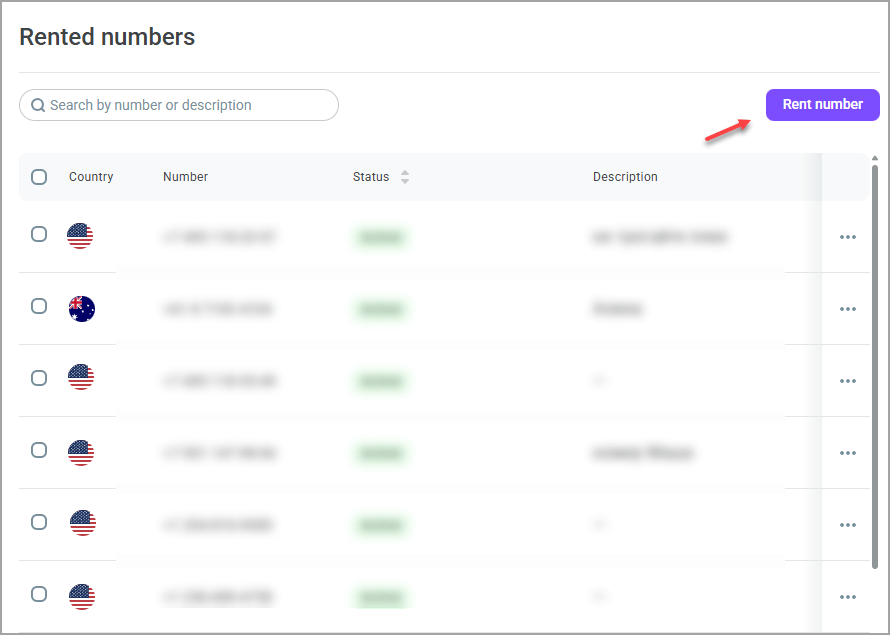
- In the window that opens, select the country, region, and phone number category (landline, mobile, etc.).You can also customize the functionality of the phone number, for example, to have it work only for inbound calls or to support SMS messages.
- Select the required phone numbers from the list on the right and click Next.
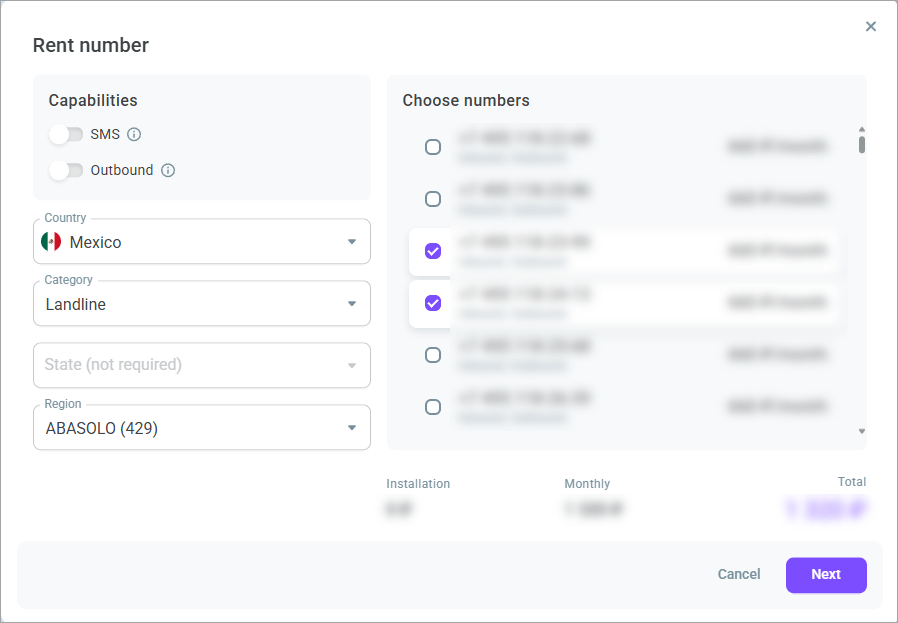
- Click Rent phone numbers. The phone number displays in the general list in the Numbers > Rented numbers section.
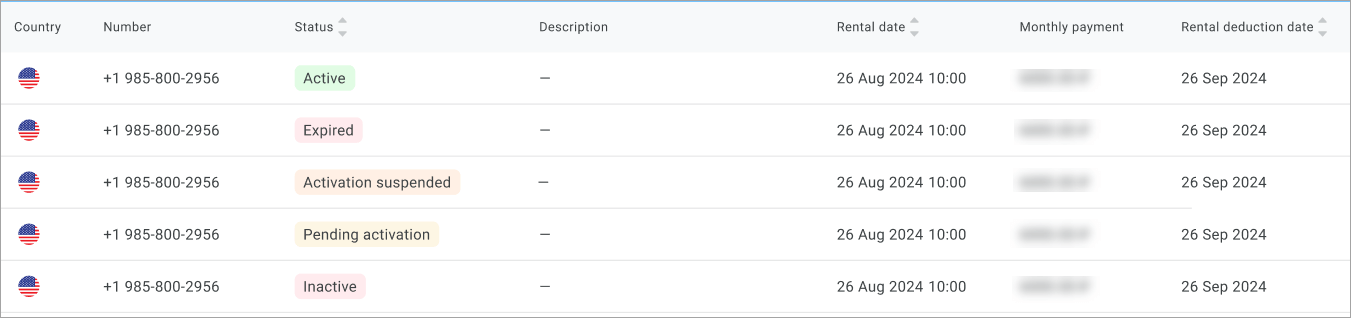
The following data is available in the general phone number list: country, description, rental date, monthly payment, rental deduction date, and phone number status.
Possible statuses
Active - The phone number is activated. You can use the services.
Pending activation - Waiting for the phone number to be activated.
Activation suspended - Phone number activation is suspended. The limit of 20 numbers has been reached.
Expired - The phone number rental period has expired.
Inactive - The phone number has been disabled by the provider. Services are not provided.
The rented pnone numbers are billed monthly. You can refill the balance online or request an invoice and pay it. The phone number rent fee is debited from your Voximplant Kit balance, not from your bank card. If there is not enough money on your account to extend the rental period, the phone number will be put on hold for 1 month waiting for payment. As soon as there is enough money on your balance to extend the rental period, the number will become active again.
Verifying documents
Some regions require initial document verification before renting a phone number. If you have selected such a number, the Verify documents button displays in the Rent number window.

Follow the on-screen instructions to upload supporting documents and submit them for verification.
The document verification process may take 1-2 business days.
Once the provided information is verified, the confirmed phone number displays in the Numbers > Rented numbers section.
Actions with phone numbers
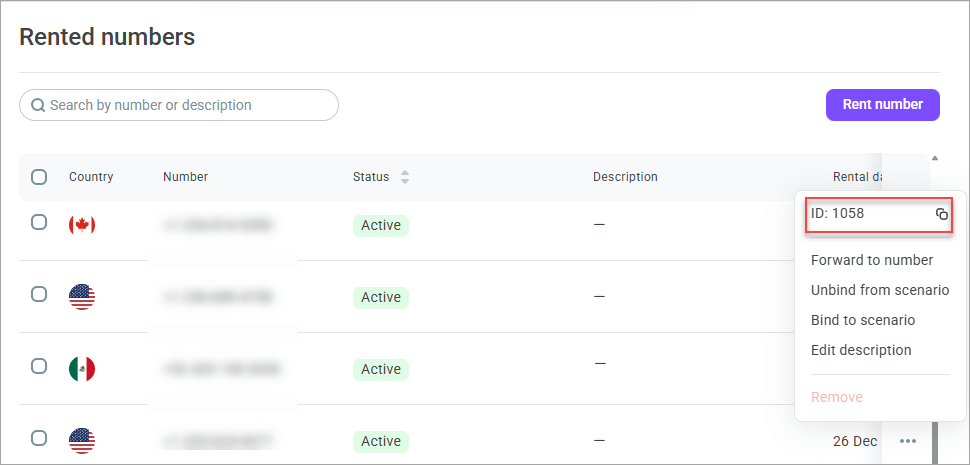
The Action menu for each phone number contains the following options:
Forward to number - allows you to set up direct call forwarding to the phone number you specify (the forwarding service enables customers who missed a call to return the call to the agent).
Unbind from scenario - unbinds the phone number from the previously attached scenario.
Bind to scenario - binds the phone number to the specified inbound scenario.
Edit description - allows you to add additional information for the phone number (up to 70 characters).
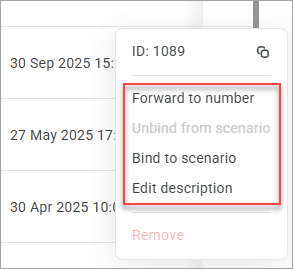
In the Action menu, you can view the phone number ID and copy it to the clipboard.
To terminate the rental of a number, you can delete it by selecting the corresponding option in the Action menu. Once you opt out, you immediately lose the phone number; it will be available for rent again in 2 months. Please note that refunds for rentals depend on the verification process. If verification has been completed, your money will not be refunded. If verification has not yet been completed, the money will be returned to you within 10 business days.
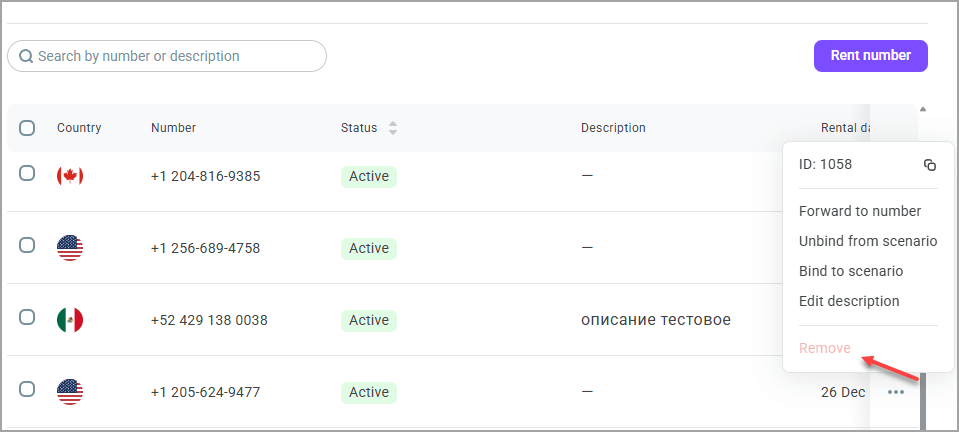
To delete a phone number, unbind it from all attached scenarios and campaigns.